
Sign-in and consent
Connecting uses standard OAuth sign-in. You sign in on Sevigram’s own site, never inside the AI app, and the app never sees your Sevigram password.
The consent page
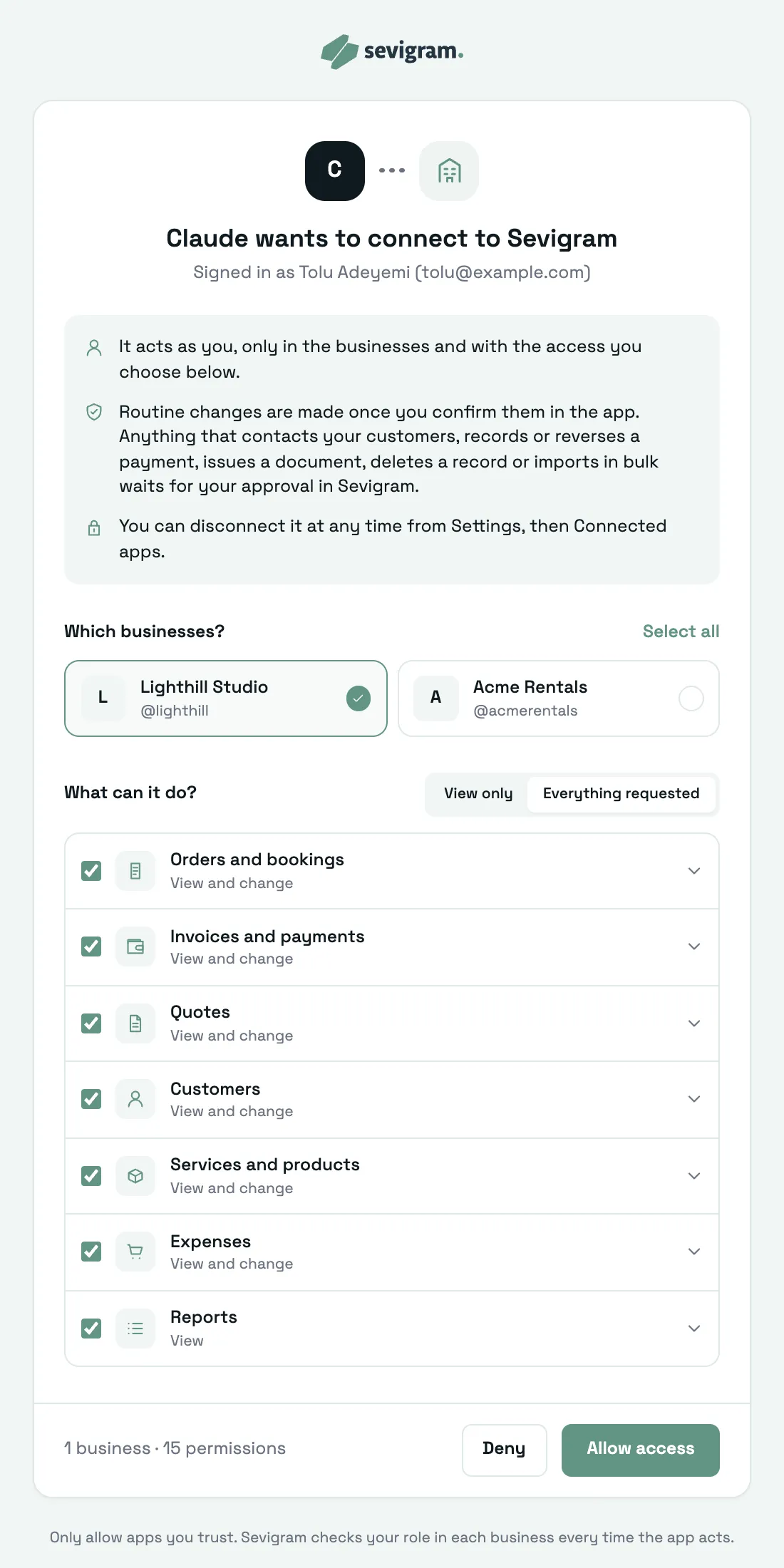
Section titled “The consent page”After you sign in, Sevigram shows which app is asking, for example Claude or ChatGPT, and asks two questions.
Which businesses?
Section titled “Which businesses?”You see every business you’re a member of. Choose one or more; you can connect up to 50 at once. The app can only act for the businesses you choose.
What can it do?
Section titled “What can it do?”The app asks for a set of permissions. You can narrow them, but never widen them:
- View only keeps reading and exporting, and turns off every change.
- Everything requested grants all the permissions the app asked for.
- Or open an area, such as Invoices and payments or Customers, and turn individual permissions on or off.
Permissions that move money records, reach customers or change what customers pay or can buy are marked so they stand out. See the full permission list.
Select Allow access to connect, or Deny to cancel.
How long a connection lasts
Section titled “How long a connection lasts”- The app gets short-lived access tokens that expire after 10 minutes and are renewed automatically.
- A connection lasts up to 30 days from the day you approve it. After that, connect again.
- A sign-in request that isn’t completed within 10 minutes expires. Start again from the app.
See and remove connections
Section titled “See and remove connections”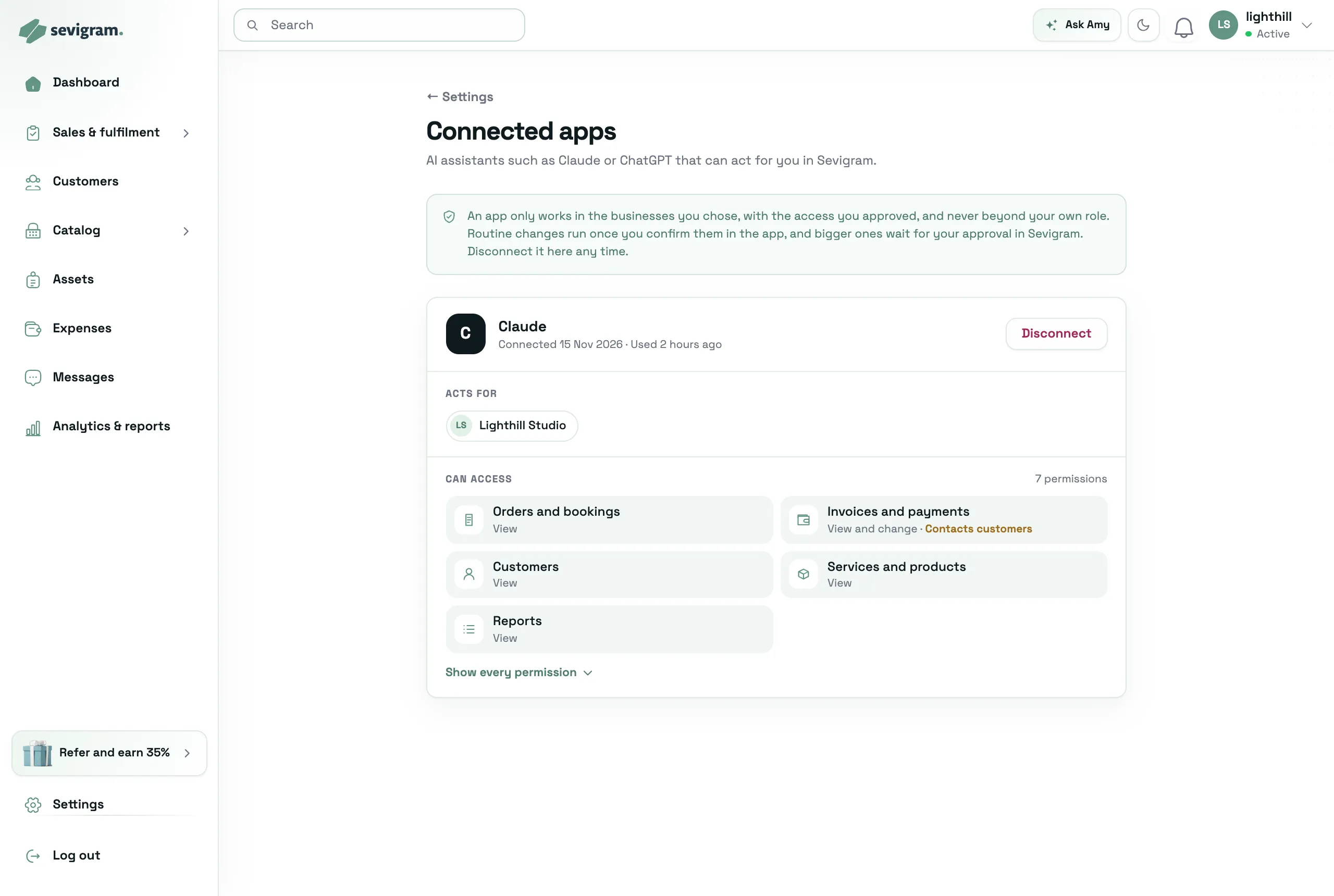
In Sevigram, Settings → Connected apps lists each connected app with:
- the businesses it acts for;
- what it can access, by area;
- when it was connected and last used.
Select Disconnect to remove one. It stops working immediately.
If you connect the same app twice, both connections are listed. Disconnect any you no longer use.